In this article
- 1A real example: Astro Pandith
- 2The three parts of an astrology platform
- 3User app features
- 4Astrologer partner app features
- 5Admin panel features
- 6Wallet and per-minute billing: getting it right
- 7Chat and calling technology
- 8Languages and local audience
- 9Trust, privacy and compliance
- 10What shapes the effort
- 11How JST Click can help
- 12Conclusion
Astrology consultations have moved firmly onto the phone. Many people now prefer to chat with or call an astrologer from home rather than travel to meet one. That has created room for regional brands, temples, astrology institutes and individual astrologers with a loyal following to run their own consultation platforms.
Astrology app development is not just a chat app with a payment button. You are building a small marketplace: customers on one side, astrologers on the other, and money moving between them minute by minute. This guide explains the parts you need, the features that matter most, and the decisions that shape your project.
A real example: Astro Pandith
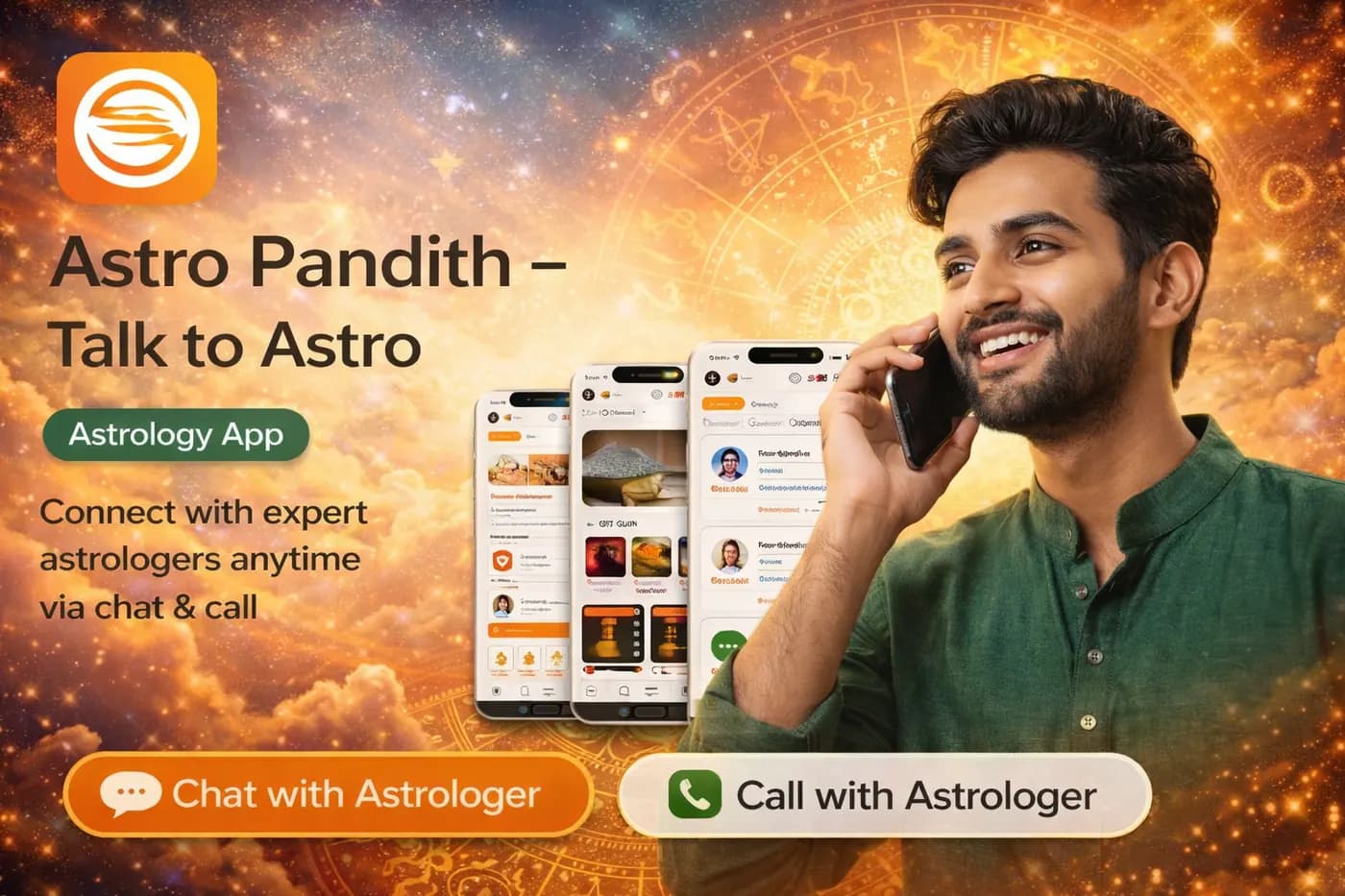
JST Click built Astro Pandith — "Talk to expert astrologers by chat and call" — along with its companion app Astrologer Astro Pandith — "Partner app for astrologers". The two-app structure is typical of this category: one app for people seeking guidance, and a separate one for the astrologers who serve them. You can see both on our work page.
The rest of this guide covers what an app like this usually needs, in general terms, so you can plan your own.
The three parts of an astrology platform
| Component | Who uses it | Main purpose |
|---|---|---|
| User app | Customers | Browse astrologers, recharge wallet, chat or call, view history |
| Astrologer partner app | Astrologers | Go online, accept sessions, consult, track earnings |
| Admin panel (web) | Your team | Approve astrologers, set rates and commission, handle payouts, support and reports |
All three share one backend that manages accounts, live availability, session timers, wallet balances and notifications.
User app features
Must-haves for launch
- Mobile number and OTP login, with a simple profile (name, date, time and place of birth)
- Astrologer listing with photo, expertise (Vedic, numerology, tarot, vastu and so on), languages spoken, experience, per-minute rate and online status
- Filters and search — by language, speciality, price and rating
- Wallet recharge through UPI, cards and net banking using a gateway such as Razorpay
- Chat consultation with a visible timer and remaining balance
- Voice call consultation, ideally with masked numbers so neither side sees the other's phone number
- Session history with chat transcripts and invoices
- Ratings and reviews after each session
- Push notifications when a favourite astrologer comes online
Features to add later
- Video consultations
- Free daily horoscope, panchang and kundli generation to bring users back
- Kundli matching for marriage
- Live sessions where an astrologer answers questions for many viewers
- Remedies or puja booking and a small product store
- Offers on first recharge and referral rewards
Astrologer partner app features
The partner app decides whether good astrologers stay on your platform. It should be simple, especially for astrologers who are not comfortable with technology.
- Online/offline toggle and availability schedule
- Incoming session alerts with a loud ring and the user's birth details shown up front
- Chat and call screens with the running timer
- Earnings dashboard — per session, daily and monthly, after your commission
- Payout requests and statements
- Profile management — photo, bio, languages, specialities and rate (within limits you set)
- Support chat with your team
Astrologer onboarding and KYC
Before an astrologer takes paid sessions, you will usually want:
- Identity proof (such as Aadhaar or PAN) and a photo
- Bank account or UPI details for payouts, verified before the first transfer
- A short interview or trial consultation by your team
- Agreement to your platform terms, including conduct rules and refund policy
The admin panel should show each application's status — pending, approved, rejected or suspended — so your team can manage this without spreadsheets.
Admin panel features
- Dashboard with live sessions, online astrologers and wallet recharges
- Astrologer approval and KYC review
- Rate and commission settings — per astrologer or by category
- User management and wallet adjustments for refunds
- Payout management with export for bank transfers
- Complaints and refund handling, with access to session transcripts where your policy allows
- Content management for horoscopes, banners and offers
- Reports — revenue, top astrologers, repeat users and session lengths
Wallet and per-minute billing: getting it right
Billing is the most sensitive part of astrology app development. Users must trust that they pay only for the minutes they use, and astrologers must trust that they are paid for every minute.
Key points an app like this usually handles:
- Minimum balance check before a session starts, often enough for a few minutes
- Server-side timing — the backend, not the phone, should track session length, so a dropped connection or closed app cannot cause wrong charges
- Low-balance warning with a quick recharge option during the session
- Automatic session end when the balance runs out
- Clear records of each deduction, visible to both the user and the astrologer
- GST-compliant invoices for recharges, and refund rules for failed or poor-quality sessions
Wallet vs pay-per-session
| Approach | How it works | Good for |
|---|---|---|
| Prepaid wallet + per-minute | User recharges; minutes are deducted live | Open-ended chats and calls |
| Fixed-price session | User pays upfront for a set duration | Report-style or scheduled consultations |
| Subscription | Monthly fee for a set number of minutes or questions | Repeat users and premium tiers |
Most platforms start with the prepaid wallet because it suits short, frequent consultations, and add fixed-price options later.
Chat and calling technology
Chat can be built on real-time messaging services or your own socket server. Voice calls are commonly handled through a cloud calling or VoIP provider, which also lets you mask phone numbers and record call duration accurately. Each choice has a usage cost, so plan for how many minutes your platform might handle in its first year.
Notifications matter too: astrologers must hear incoming requests even when the app is in the background, which needs careful testing on popular Android phones.
Languages and local audience
A large share of users are more comfortable in their own language. Plan for:
- App interface in English, Kannada and Hindi (and other languages if your audience needs them)
- A language filter so users find astrologers who speak their language
- Horoscope and content in regional languages
- DLT-registered SMS templates for OTP and transactional messages, as required in India
Thoughtful UI/UX design helps here: large text, clear rates and simple steps make older users feel comfortable paying in the app.
Trust, privacy and compliance
- Keep birth details and chat transcripts private and encrypted, with clear consent under India's DPDP Act
- Publish a clear refund policy and disclaimers that consultations are guidance, not medical, legal or financial advice
- Follow Google Play's policies on payments, user-generated content and reporting tools
- Give users a way to report and block, and your team a way to suspend accounts quickly
What shapes the effort
Every platform is different, so scope drives the work:
- Chat only, or chat plus voice and video
- Number of languages
- Depth of the admin panel, payouts and reports
- Extras like kundli tools, live sessions and a product store
- Flutter or native apps — read Flutter vs native app development for the trade-offs
Our guide on app development cost in Bangalore explains how these factors affect your budget.
How JST Click can help
JST Click is a website, app and software development company in J. P. Nagar 2nd Phase, Bengaluru. We built Astro Pandith and its Astrologer partner app, so we understand how a consultation marketplace fits together — two apps, one admin panel and a wallet in the middle.
We start with a free consultation, suggest a lean first version, and give you a fixed quote with a written scope. Learn more about our app development services, browse our work, or get in touch.
Conclusion
Good astrology app development comes down to three connected apps, fair and transparent per-minute billing, careful astrologer onboarding and support for the languages your users speak. Launch with chat, calls and a wallet, then grow into video, live sessions and content.
Planning a talk-to-astrologer app? Get a free consultation with JST Click, or call or WhatsApp +91 70194 01035.
Frequently asked questions
How many apps does an astrology consultation platform need?
Usually three: a user app where customers find astrologers and pay to chat or call, a separate partner app for astrologers to go online and take sessions, and a web admin panel for your team to approve astrologers, set rates and handle payouts.
How does per-minute billing work in an astrology app?
Users add money to an in-app wallet through UPI or cards. When a chat or call starts, the server checks the balance, deducts the astrologer's per-minute rate as the session runs, and ends the session or warns the user when the balance is about to run out.
Do astrologers need to be verified before they can take sessions?
It is strongly recommended. A KYC step with identity documents, bank details for payouts, a profile review and a short trial session helps protect users and your brand's reputation.
Can an astrology app support Kannada and Hindi?
Yes. The app interface can be translated into Kannada, Hindi and other languages, and astrologer profiles can list the languages each astrologer speaks so users can filter by language.
Should I launch with chat, calls or both?
Many platforms start with chat and voice calls because they are simpler to build and run reliably. Video consultations, live sessions and product stores can be added later once the core flow works well.
- Astrology App
- App Development
- Consultation App
- Wallet Payments
- Our Projects

Written by
JST Click Team
We design and build websites, mobile apps and software for businesses from our office in J. P. Nagar, Bengaluru, and write these guides from what we see on real projects.