In this article
- 1Real examples: Suddi Kirana TV and Nonstop Entertainment
- 2Live TV vs on-demand: know which you are building
- 3The parts of an OTT platform
- 4Viewer app features
- 5Video hosting, encoding and CDN
- 6DRM and content protection basics
- 7Making money: subscriptions vs ads
- 8Android TV and big-screen viewing
- 9Regional content and languages
- 10Admin and content panel
- 11What shapes the effort
- 12How JST Click can help
- 13Conclusion
Regional channels, film producers, news houses and content creators no longer need a broadcaster to reach their audience. With an OTT app, you can stream live TV, movies, serials and web series straight to phones and smart TVs, under your own brand.
But OTT app development is different from most app projects. Video is heavy, expensive to deliver and easy to pirate, and viewers expect it to start instantly on any network. This guide explains what an OTT platform needs, the key technical choices and how to plan a launch in India.
Real examples: Suddi Kirana TV and Nonstop Entertainment
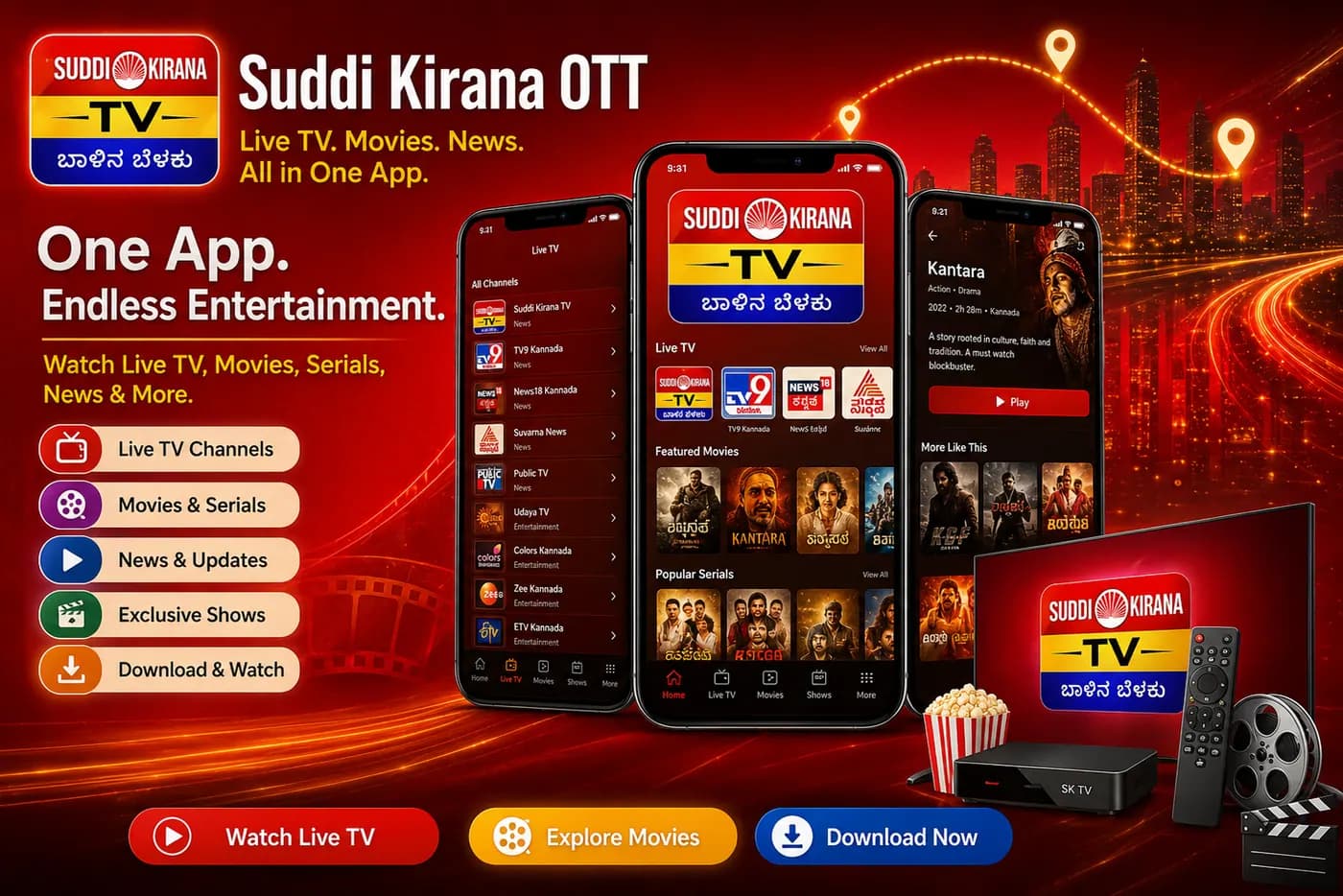
JST Click built Suddi Kirana TV — "Live TV, movies, serials and news OTT" and Nonstop Entertainment — "Movies and web-series streaming". They show the two common shapes of OTT apps: one mixes live channels with on-demand shows, the other focuses on a library of movies and series. You can see both on our work page.
The rest of this guide talks in general terms about what apps like these usually need.
Live TV vs on-demand: know which you are building
| Type | What viewers get | Main technical needs |
|---|---|---|
| Live TV / news | Channels streaming in real time | Live encoding, low delay, steady stream from your broadcast source |
| Video on demand (VOD) | Movies, serials, web series anytime | Upload, encoding, storage, catalogue, resume watching |
| Hybrid | Both live and on-demand | All of the above, plus a programme guide |
Knowing which you need early keeps the scope realistic. Many regional platforms start with one and add the other later.
The parts of an OTT platform
- Viewer apps — Android, iOS and often Android TV, plus a website if needed
- Video pipeline — upload, encoding into multiple qualities, storage and delivery through a CDN
- Backend — users, subscriptions, catalogue, watch history and analytics
- Admin / content panel — for your team to add titles, banners, channels and plans
Viewer app features
Must-haves for launch
- Sign-up with mobile OTP, email or Google
- Home screen with rails — trending, new releases, categories, languages
- Search and filters by language, genre and type
- Video player with adaptive quality, subtitles, audio tracks where available, and resume watching
- Live TV section with channel list and, if needed, a simple programme guide
- Watchlist and continue watching
- Subscription or rental purchase with UPI, cards and wallets
- Push notifications for new episodes and live events
Features to add later
- Offline downloads for selected titles
- Multiple profiles and kids' mode
- Chromecast and screen casting
- Recommendations based on viewing history
- Multiple devices per account with limits
Video hosting, encoding and CDN
This is the backbone of OTT app development.
- Encoding turns each uploaded file into several quality levels (for example 360p to 1080p), so the player can switch smoothly as the network changes. This is called adaptive bitrate streaming, usually in HLS or DASH format.
- Storage holds the encoded files in the cloud.
- CDN delivers video from servers close to the viewer, which reduces buffering across Indian cities and towns.
You can use a managed video platform that handles all three, or assemble cloud services yourself. Managed services are quicker to launch; a custom setup can lower long-term costs at larger scale. Either way, bandwidth is an ongoing cost that grows with every minute watched, so plan for it in your business model.
For live TV, you also need a reliable input feed from your studio or broadcast source into the live encoder, and a backup plan if that feed drops.
DRM and content protection basics
If you stream paid or licensed content, protection matters:
- DRM (such as Widevine for Android and Chrome, and FairPlay for Apple devices) encrypts video so it plays only in authorised apps
- Signed or expiring URLs stop people sharing direct video links
- Screen recording restrictions on supported devices
- Device and concurrent stream limits per account
- Watermarking for high-value content
Content owners often ask for DRM before licensing movies to you, so check your agreements early.
Making money: subscriptions vs ads
| Model | How it works | Best for |
|---|---|---|
| SVOD (subscription) | Monthly or yearly plan unlocks content | Exclusive shows, ad-free premium experience |
| AVOD (ads) | Free to watch with video ads | Live news, large free libraries, wide reach |
| TVOD (pay-per-view) | Rent or buy individual titles | New film releases, special events |
| Hybrid | Free with ads + paid premium tier | Most regional platforms |
Payments in India usually run through gateways like Razorpay, with UPI AutoPay for recurring subscriptions. On iOS, and for some Android digital content, store billing rules may apply, so check current Google Play and App Store policies before choosing your payment flow.
Android TV and big-screen viewing
Many families watch long content on the TV. An Android TV or Fire TV app needs:
- A layout designed for remote-control navigation (focus states, large tiles, no small buttons)
- Simple login, such as a code shown on the TV that you confirm on your phone
- Testing on popular budget smart TVs and streaming sticks
Strong UI/UX design helps the same app feel natural on a phone and a 43-inch screen.
Regional content and languages
Regional OTT apps win by serving audiences that big platforms overlook. Plan for:
- App interface in Kannada, Hindi, English or your target languages
- Language-first browsing so viewers land on content they understand
- Subtitles and multiple audio tracks
- Good performance on budget Android phones and slower mobile networks, including a data-saver quality option
Admin and content panel
- Upload and publish titles, episodes and seasons
- Manage live channels and schedules
- Set banners, categories and featured rails
- Create and price subscription plans and coupons
- Manage users, devices and refunds
- Reports on views, watch time, subscribers and revenue
What shapes the effort
- Live, on-demand or both
- Number of platforms — Android, iOS, Android TV, web
- Managed video service or custom pipeline
- DRM requirements
- Monetisation model and payment flows
- Analytics and recommendation features
Our guide on app development cost in Bangalore explains how scope affects the build budget. Remember that hosting and bandwidth are separate running costs.
How JST Click can help
JST Click is a website, app and software development company in J. P. Nagar 2nd Phase, Bengaluru. Having built Suddi Kirana TV and Nonstop Entertainment, we understand how live channels, on-demand libraries and subscriptions fit together in one platform.
We begin with a free consultation, help you choose between managed and custom video options, and give you a fixed quote with a written scope. Learn more about our app development services or browse our work.
Conclusion
Successful OTT app development rests on a reliable video pipeline, sensible content protection, a monetisation model that suits your content, and apps that work well on phones and TVs. Start with the core — streaming, catalogue and payments — and add downloads, profiles and recommendations as your audience grows.
Planning an OTT app? Get a free consultation with JST Click, or call or WhatsApp +91 70194 01035.
Frequently asked questions
What is an OTT app?
OTT (over-the-top) apps deliver video directly over the internet instead of through cable or satellite. They can stream live TV channels, movies, serials, web series and news on phones, smart TVs and the web.
Do I need my own servers to stream video?
Usually not. Most OTT apps use a video hosting and streaming service plus a CDN (content delivery network) to store, encode and deliver video. Your own backend manages users, subscriptions and the content catalogue.
Should my OTT app use subscriptions or ads?
It depends on your content and audience. Exclusive or premium content suits subscriptions, while free news and live TV often work better with ads. Many platforms use a mix: free content with ads and a paid plan for premium shows.
Is DRM necessary for an OTT app?
If you stream paid or licensed movies and series, DRM is strongly recommended and content owners often require it. For free news or your own promotional videos, signed URLs and basic protection may be enough.
Can an OTT app run on Android TV and smart TVs?
Yes. Android TV and Fire TV apps can share much of the logic with the mobile app but need a separate TV-friendly interface designed for remote-control navigation.
- OTT App
- Video Streaming
- App Development
- Android TV
- Our Projects

Written by
JST Click Team
We design and build websites, mobile apps and software for businesses from our office in J. P. Nagar, Bengaluru, and write these guides from what we see on real projects.