In this article
Rent is one of the biggest monthly payments for millions of people in Indian cities. Yet much of it still moves through manual bank transfers, cash and WhatsApp screenshots as "proof". Landlords chase late payments, tenants hunt for old receipts at tax time, and property managers reconcile dozens of transfers by hand.
Rent payment app development solves this by giving tenants a simple way to pay and landlords a clear way to receive, track and get paid out. This guide covers the core flows, payment options, compliance basics and the decisions you need to make before building.
Who uses a rent payment app
A rent app usually serves at least two, and often three, types of users:
| User | What they want | Key screens |
|---|---|---|
| Tenant | Pay rent easily, on time, with proof | Add landlord, pay, reminders, receipts |
| Landlord | Receive rent reliably and see who has paid | Properties, tenants, payment status, payouts |
| Property manager or business | Manage many units and monthly payouts | Bulk dashboard, reports, settlements |
| Admin (your team) | Run the platform safely | KYC review, transactions, disputes, support |
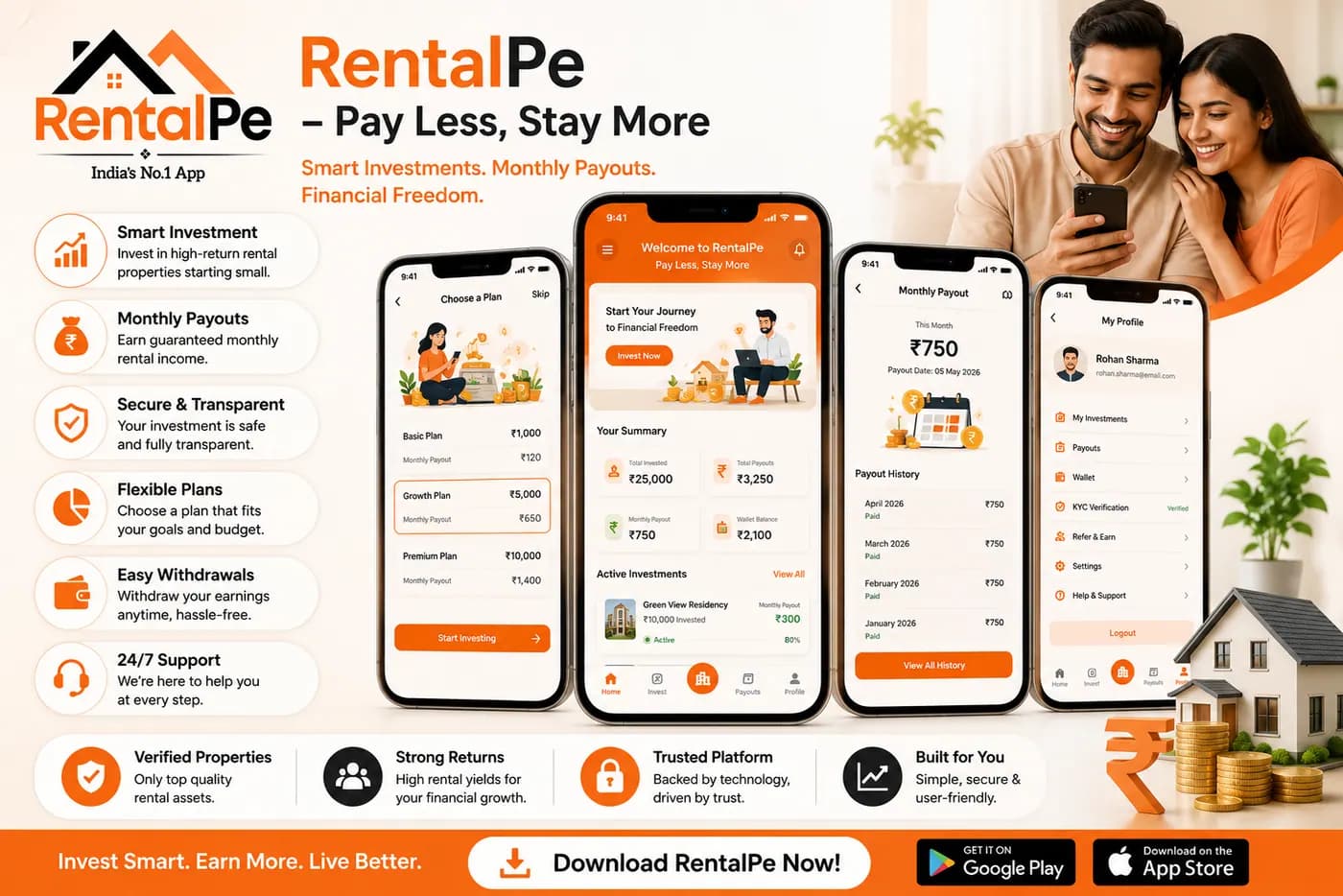
JST Click built RentalPe — Rental payments and monthly payouts, a fintech app in this space. You can see it in our work.
Tenant features
Must-haves
- Mobile number and OTP sign-up
- Add a landlord with name, bank account or UPI ID, and property address
- Pay rent through UPI, cards or net banking
- Payment status that is clear and instant — success, pending or failed
- Receipts for every payment, downloadable as PDF
- Reminders before the due date by push, SMS or WhatsApp
- Payment history for the full tenancy
Nice to have
- UPI AutoPay or card standing instructions for recurring rent
- Paying maintenance, deposit or society charges in the same app
- Splitting rent between flatmates
- Rewards or cashback, if your business model supports it
Landlord features
- Property and unit list with tenants mapped to each
- Rent schedule — amount, due date, late fee rules if any
- Who has paid at a glance, with overdue alerts
- Bank account verification before the first payout
- Payout history and statements
- Reminders sent to tenants automatically
- Option to invite tenants by link or WhatsApp
For landlords with many units, a web dashboard is often more practical than a phone screen, so plan both.
Monthly payouts: the back office that matters
Collecting rent is only half the job. Getting money to the right landlord accounts on time, every month, is where trust is won or lost.
A payout system usually needs:
- A ledger that records every collection, fee and payout
- Settlement cycles — instant, same day or next working day, depending on your partner
- Payout APIs from your payment partner to send money to verified bank accounts
- Failure handling — retry, notify, and flag wrong account details
- Reconciliation reports that match collections, fees and payouts
- Clear statements for landlords and property managers
Payments, payment aggregators and RBI rules (high level)
This is the part to plan most carefully. The details change over time and depend on your exact model, so treat this as an overview, not legal advice.
How money usually flows
Most rent apps do not hold customer money in their own bank account. Instead they work with a licensed payment aggregator or bank partner. The tenant pays through the partner's gateway, the partner holds funds as per RBI rules, and then settles to the landlord or to your business as agreed.
Common partners in India include Razorpay, Cashfree, PayU and others. Each has its own onboarding, KYC, pricing and product rules.
Points to confirm with your payment partner
- Whether rent collection and payouts to third parties are allowed under their product for your business type
- Which methods are available for rent — UPI, debit cards, credit cards, net banking
- Fees for each method, and whether you pass them to the tenant
- Rules on recurring payments and UPI AutoPay mandates
- Settlement timelines and payout limits
- What KYC they need from you, your tenants and landlords
Card networks, banks and regulators have changed rules around rent payments by card more than once, so always check current terms with your partner before promising any method to users.
KYC and verification
Trust is the core of a fintech product. Typical checks include:
- Mobile OTP for every user
- PAN verification for landlords and, depending on limits, tenants
- Bank account verification (penny drop or similar) before payouts
- Address or property details to reduce misuse
- An admin review queue for flagged accounts
Keep KYC proportionate. Asking for too much at sign-up drives people away; asking too little invites fraud. Your payment partner's rules are usually the starting point.
Receipts and records
Tenants often need rent receipts for HRA claims, and landlords need records for their own tax filing. A good receipt shows:
- Tenant and landlord names
- Property address
- Rent period and amount
- Payment date and reference number
- Landlord PAN where required for higher rent amounts
If your platform charges a fee, you will also need GST invoices for that fee. Ask your accountant how fees and receipts should be presented.
Security essentials
- Encrypt sensitive data and never store full card details yourself — the gateway handles that
- App lock with PIN or biometrics
- Session timeouts and device checks
- Audit logs in the admin panel
- Clear consent and privacy notices in line with India's DPDP Act
- Regular security testing before and after launch
Build options compared
| Approach | Good for | Watch out for |
|---|---|---|
| Web app only | Testing demand quickly, landlord dashboards | Weaker reminders and app-lock features |
| Cross-platform app (e.g. Flutter) + web admin | Most rent apps | Needs solid backend and partner integration |
| Native Android and iOS apps | Very high scale or device-specific features | Higher build and maintenance effort |
For most startups and property businesses, a cross-platform mobile app plus a web dashboard is a sensible balance.
What shapes the effort
We don't publish fixed prices because fintech products vary widely. The main factors are:
- Number of user types — tenant only, tenant and landlord, or property managers too
- Payment methods and recurring payments
- Payout complexity and reconciliation needs
- Depth of KYC and admin review
- Reports and integrations with accounting tools
- Security testing and compliance documentation your partner asks for
How JST Click can help
JST Click is a website, app and software development company in J. P. Nagar, Bengaluru. We built RentalPe for rental payments and monthly payouts, so we are familiar with tenant and landlord flows, payment partner integration and payout dashboards.
We help you map the money flow first, line up the right payment partner questions, and then build a focused first version. See our app development services and software development services, browse our work, or book a free consultation.
Frequently asked questions
Do I need an RBI licence to build a rent payment app?
Most rent payment apps do not hold money themselves. They work with a licensed payment aggregator or bank partner that collects and settles funds. Whether your model needs any licence or registration depends on how money flows, so confirm the structure with your payment partner and a legal or compliance advisor before you build.
Which payment methods should a rent app support?
UPI is the most common choice for rent. Many apps also offer debit and credit cards, net banking and UPI AutoPay for recurring payments. Card availability and fees for rent depend on your payment partner and the card issuer's current rules.
What KYC is needed for tenants and landlords?
Typically mobile number verification, PAN, and bank account verification for the person receiving money. The exact KYC level depends on transaction limits and your payment partner's requirements.
Can the app generate rent receipts?
Yes. The app can generate a receipt for every successful payment with tenant name, landlord name, property address, period and amount. Tenants often use these for HRA claims, so the format should be clear and downloadable as PDF.
How long does it take to launch a rent payment app?
It depends mostly on scope and on payment partner onboarding, which includes their own review and KYC of your business. Plan for partner approval in parallel with design and development rather than after.
- Fintech
- Rent Payments
- App Development
- UPI
- Our Projects

Written by
JST Click Team
We design and build websites, mobile apps and software for businesses from our office in J. P. Nagar, Bengaluru, and write these guides from what we see on real projects.