In this article
- 1A real example: V Gas
- 2Three parts of a gas booking platform
- 3Customer app features
- 4Delivery staff app features
- 5Distributor panel features
- 6Slots, assignment and tracking
- 7Payments: COD, UPI and online
- 8Safety, compliance and privacy
- 9Questions to ask a gas booking app developer
- 10What shapes the effort
- 11A practical launch plan
- 12How JST Click can help
- 13Conclusion
Booking a gas refill by calling a busy agency number, then waiting without knowing when the cylinder will arrive, is frustrating for customers and messy for distributors. A dedicated app fixes both sides: customers book in seconds and see when their cylinder is coming, while the distributor plans deliveries and tracks every cylinder and rupee.
Gas booking app development combines ordering, delivery management and stock tracking. This guide covers what each app needs, how slots, tracking and payments work, and how to plan your launch.
A real example: V Gas
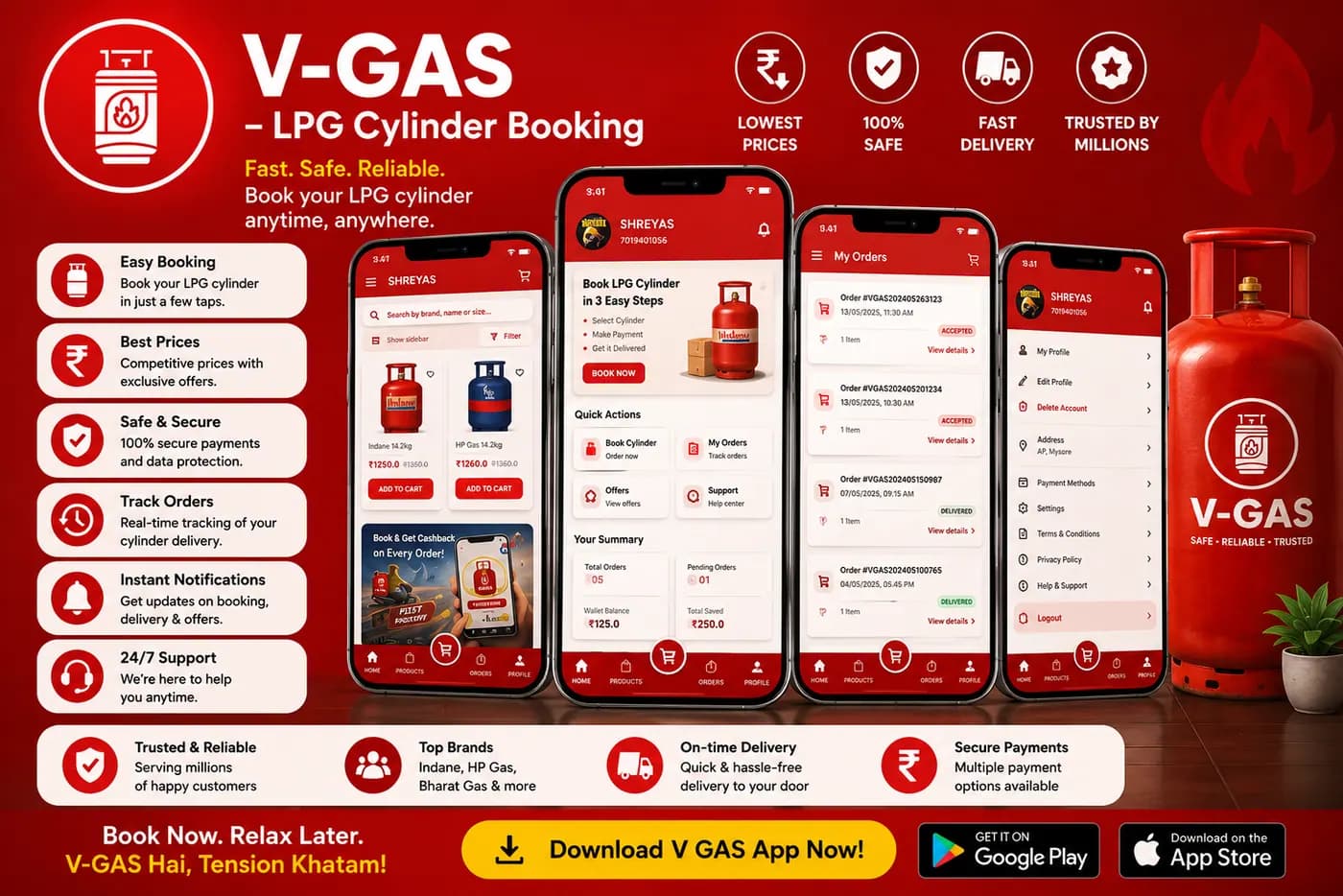
JST Click built V Gas — "LPG cylinder booking and tracking" and its companion V Gas Delivery & Distributor — "Delivery and distributor management". Together they reflect the usual structure of this kind of platform: a customer-facing app and a separate tool for the people who run deliveries. You can see them on our work page.
The rest of this guide describes, in general terms, what platforms like this usually need.
Three parts of a gas booking platform
| Component | Who uses it | Main purpose |
|---|---|---|
| Customer app | Households and businesses | Book refills, choose slot, track delivery, pay, view history |
| Delivery staff app | Delivery persons | See assigned orders, navigate, confirm delivery, collect payment |
| Distributor panel | Distributor and office staff | Manage orders, stock, staff, areas, slots and reports |
One backend connects all three so a booking moves smoothly from customer to distributor to delivery person and back.
Customer app features
Must-haves for launch
- Mobile OTP login and a simple profile
- Saved addresses with map pin, landmark and floor details
- Consumer or connection details linked to the account, if your business uses them
- Cylinder types — domestic, commercial and different sizes
- Book refill in a few taps, with price shown upfront
- Delivery slot selection — date and time window
- Order tracking — booked, assigned, out for delivery, delivered
- Payment choice — cash on delivery, UPI at the door, or pay online
- Order history and digital receipts
- Notifications by push and SMS at each stage
Features to add later
- Live location of the delivery person
- Auto-reminders when a refill is likely due
- New connection requests with document upload
- Accessories such as stoves, regulators and hoses
- Complaint and service requests (leak check, regulator issues)
- Subscriptions for commercial customers with regular orders
Delivery staff app features
Delivery staff work fast, often on budget phones and in areas with weak signal. The app must be simple.
- Daily order list sorted by area or route
- Customer address with map navigation and one-tap call (masked if needed)
- Status updates — picked up, out for delivery, delivered, not available
- Delivery confirmation using a customer OTP, photo or signature
- Payment collection — mark cash received or show a UPI QR
- Empty cylinder return recording
- End-of-day summary of deliveries and cash collected
- Offline-friendly behaviour that syncs when the network returns
Large buttons, minimal typing and support for Kannada or Hindi make a real difference to adoption.
Distributor panel features
This is where the business is run.
- Order dashboard — new, assigned, out for delivery, delivered, cancelled
- Assignment of orders to delivery staff, manually or automatically by area
- Area, pincode and slot management, with slot capacity limits
- Stock tracking — filled and empty cylinders in godown and with each delivery person
- Staff management with attendance and performance
- Pricing management so rate changes reflect immediately without an app update
- Cash reconciliation — expected vs collected per delivery person
- Reports — daily sales, deliveries per area, pending orders and payment summaries
Slots, assignment and tracking
Delivery slots stop customers from waiting all day and stop the distributor from being flooded. A good setup lets you:
- Define slots per area and day, with a maximum number of orders per slot
- Close slots automatically when full or for holidays
- Assign orders in batches by route to save fuel and time
- Show live delivery status, and optionally the delivery person's location while they are on the way
Location tracking uses the delivery app's GPS. Updating every few seconds drains batteries and data, so a sensible interval and tracking only during active deliveries is usually better.
Payments: COD, UPI and online
| Method | How it works | Things to plan |
|---|---|---|
| Cash on delivery | Delivery person collects cash | Daily cash reconciliation in the panel |
| UPI at the door | Customer scans a QR shown in the delivery app | Auto-confirm through the payment gateway |
| Pay online while booking | Customer pays via Razorpay or similar | Refunds for cancelled orders |
Many distributors start with cash and UPI at the door, then encourage prepayment with small offers. Digital receipts and clear records help with accounts and GST.
Safety, compliance and privacy
- Show safety tips and an emergency contact number in the app
- Follow applicable rules from your oil marketing company and local authorities; the app should support your process, not replace official requirements
- Use DLT-registered SMS templates for OTPs and order updates
- Protect customer addresses and phone numbers, with consent under India's DPDP Act
- Restrict staff access by role in the distributor panel
Questions to ask a gas booking app developer
- Have you built apps with separate customer, delivery and admin roles before? Can I install them?
- How will the delivery app behave when the network drops mid-route?
- Can I change prices, slots and service areas myself from the panel?
- How will cash collected by each delivery person be reconciled?
- Will the Play Store account, servers and source code be in my name?
What shapes the effort
- Single distributor or many distributors on one platform
- Live tracking or status-only updates
- Depth of stock and cash reconciliation
- New connection and service request flows
- Languages and offline needs for delivery staff
- Flutter or native apps — read Flutter vs native app development for the trade-offs
Our guide on app development cost in Bangalore explains how these choices affect your budget.
A practical launch plan
- Map your current process — how orders come in, how they are assigned and how cash is settled.
- Choose MVP features from the lists above.
- Approve designs for all three parts.
- Pilot in one area with a few delivery staff.
- Fix issues quickly, then roll out area by area.
- Publish on Google Play (and the App Store if your customers need it) and promote through bills, SMS and your delivery staff.
How JST Click can help
JST Click is a website, app and software development company in J. P. Nagar 2nd Phase, Bengaluru. We built V Gas and V Gas Delivery & Distributor, so we understand how booking, delivery and distributor operations connect.
We start with a free consultation, recommend the leanest version that fits your operation, and give you a fixed quote with a written scope. Explore our app development services or browse our work.
Conclusion
Effective gas booking app development connects three users — customers, delivery staff and distributors — around simple booking, clear slots, reliable delivery confirmation and flexible payments. Start with the core flow, pilot it in one area, and expand once it runs smoothly.
Planning a gas booking or delivery app? Get a free consultation with JST Click, or call or WhatsApp +91 70194 01035.
Frequently asked questions
What apps does a gas booking platform need?
Typically three: a customer app to book refills and track delivery, a delivery staff app to see assigned orders and confirm handover, and a distributor panel to manage stock, staff, areas and payments.
Can customers pay cash on delivery in a gas booking app?
Yes. Many customers still prefer cash. The delivery app records cash collected, and the distributor panel reconciles it daily. UPI at the door through a QR code and online prepayment can be offered alongside.
How do delivery slots work?
The distributor sets available slots by area and day, with a maximum number of orders per slot. Customers pick a slot while booking, and the system stops accepting bookings when a slot is full.
Can the app work for more than one distributor?
Yes. A multi-distributor setup routes each booking to the right distributor by area or pincode, with each distributor seeing only their own orders, staff and reports.
How is a delivery confirmed?
Common methods are a one-time code the customer shares with the delivery person, a photo of the delivered cylinder, or a digital signature. The confirmation updates the order status instantly for the customer and distributor.
- Gas Booking App
- Delivery App
- App Development
- Distributor Software
- Our Projects

Written by
JST Click Team
We design and build websites, mobile apps and software for businesses from our office in J. P. Nagar, Bengaluru, and write these guides from what we see on real projects.