In this article
Many transport businesses in India do more than one thing. A cab operator also runs a few buses on intercity routes. A bus company carries parcels in the luggage hold. A delivery business wants to offer rides during peak hours. Running each of these on a separate app, separate phone line and separate spreadsheet gets messy fast.
A ride, bus and parcel booking super app brings these services under one roof: one app for customers, one login, one wallet and one admin system. This guide explains how such an app is structured, what each module needs, and how to decide whether it is the right move for your business.
If you only need a ride-hailing app, our taxi booking app development guide covers the rider, driver and admin features in detail. This post focuses on what changes when you combine several services.
What a transport super app actually is
A super app is not three apps glued together. It is one shared foundation with separate service modules on top.
The shared foundation usually includes:
- One customer account — mobile number and OTP login, profile, saved addresses
- One wallet — top up once, pay for a ride, a ticket or a parcel
- One payment layer — UPI, cards, net banking and refunds handled in one place
- One notification system — SMS, push and WhatsApp updates
- One support and help centre
- One admin panel with role-based access for each team
Each module then adds its own booking flow, pricing and partner apps.
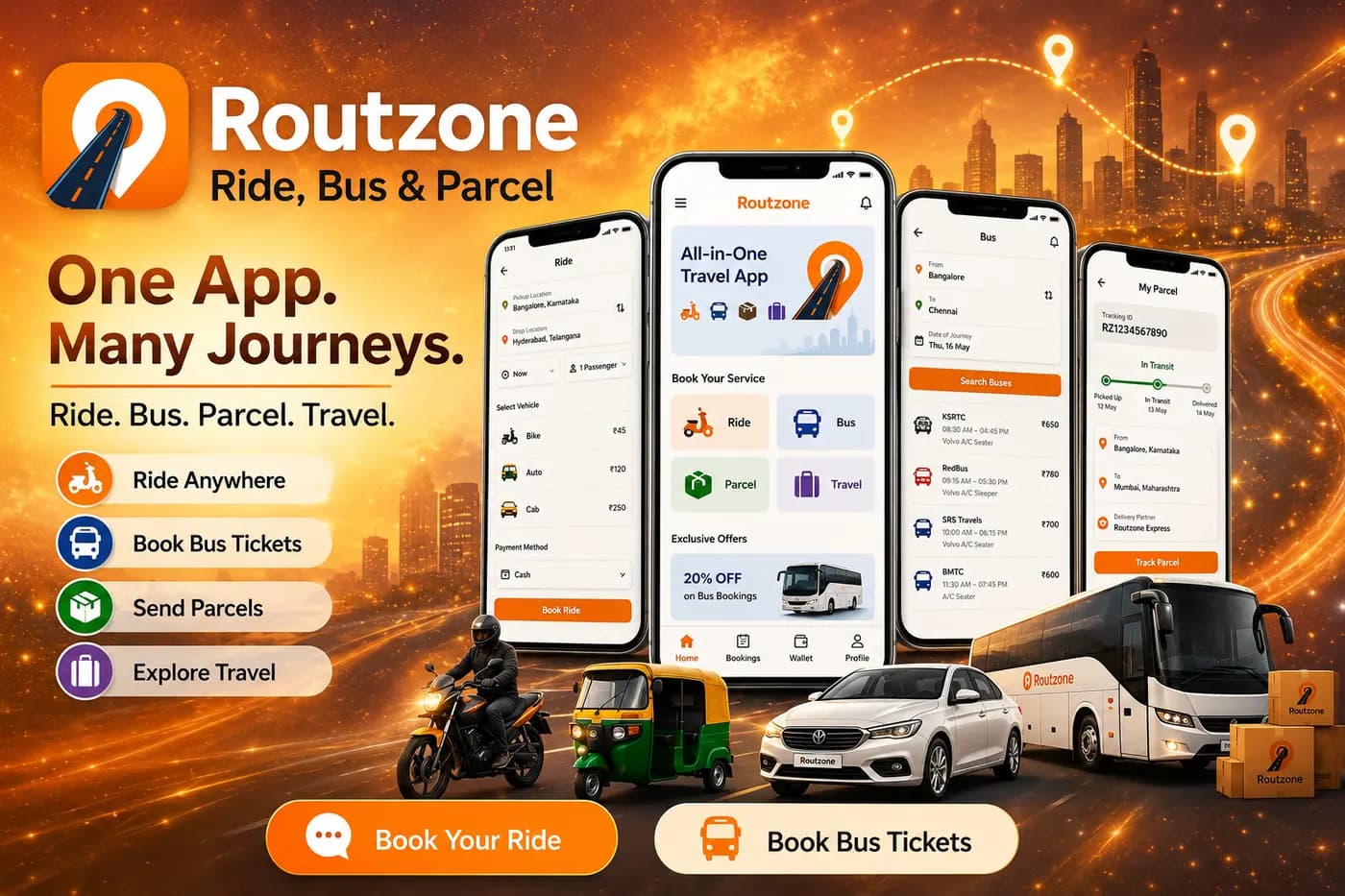
JST Click built Routzone — Ride, bus and parcel booking in one app, which is a good example of this kind of product. You can see it in our work.
Super app vs separate apps: a quick comparison
| Factor | One super app | Separate apps per service |
|---|---|---|
| Customer experience | One download, one login, one wallet | Customers install and manage several apps |
| Marketing | One brand, one app to promote | Budget split across apps |
| Cross-selling | Easy (offer a parcel booking after a bus ticket) | Hard |
| Initial build | Larger, needs careful planning | Each app is smaller and simpler |
| Risk of clutter | Higher if design is weak | Lower |
| Best for | Same customer base across services | Very different audiences per service |
The main risk with a super app is clutter. A clear home screen with three large entry points (Ride, Bus, Parcel) works better than trying to show everything at once.
Module 1: Rides
The ride module is close to a standard cab app: pickup and drop, vehicle type, fare estimate, driver matching, live tracking and payment. The differences in a super app are:
- The ride history sits alongside bus tickets and parcels in one "My bookings" screen
- Wallet balance and offers work across all modules
- Drivers may also handle parcel pickups, so the driver app may need to show both job types
Ride features to plan
- Vehicle categories, including autos and bikes if you offer them
- Scheduled rides and outstation trips
- SOS and share-trip for safety
- Driver earnings and payouts in the partner app
Module 2: Bus tickets
Bus booking is the module most people underestimate. It works very differently from rides.
Customer side
- Search by from city, to city and date
- List of trips with operator name, departure time, duration, bus type (AC sleeper, non-AC seater and so on) and fare
- Visual seat layout — lower and upper berth, ladies' seats, booked and available seats
- Boarding and drop point selection
- Passenger details for each seat
- E-ticket with PNR, sent by SMS, email or WhatsApp
- Cancellation with refund rules shown clearly
Operator panel
If you work with partner bus operators, each needs their own web panel to:
- Create routes, stops and timings
- Design seat layouts (seater, sleeper, semi-sleeper or mixed)
- Set fares by route, date and seat type
- Block seats sold at their counter or through other channels
- See passenger manifests for each trip
- Track their bookings and settlements
The tricky part: seat locking
When two customers pick the same seat at the same moment, only one should get it. A good system holds a seat for a few minutes while payment happens and releases it if payment fails. Getting this right is essential — double-booked seats create angry passengers at the boarding point.
Module 3: Parcel delivery
Parcels can be intra-city (send a document across Bengaluru) or intercity (send a box from Bengaluru to Mysuru on a bus). Many businesses offer both.
Customer side
- Pickup and drop addresses with contact names and numbers
- Parcel type, approximate weight and size
- Price estimate before booking
- Pickup time slot
- Live status and tracking
- Cash on delivery or online payment, including "receiver pays"
Parcel statuses
A clear status flow keeps everyone informed:
- Booked
- Pickup assigned
- Picked up
- In transit (or loaded on bus)
- Out for delivery
- Delivered, with OTP or photo as proof
Partner and hub side
- Delivery partner app for pickups and drops
- Hub or counter screens to scan parcels in and out
- Labels with barcodes or QR codes
- Rules for restricted items, clearly shown to customers
The admin panel: one control room
Your operations team needs one place to see everything, with access split by role:
- Dashboard with bookings, revenue and issues across all modules
- Partner management — drivers, bus operators, delivery partners, document verification
- Pricing rules per module, editable without an app update
- Wallet, refunds and settlements to partners
- Offers and coupons that can apply to one module or all
- Support tickets linked to the actual booking
- Reports with GST-ready exports
Payments, wallet and settlements
Money flows are more complex in a super app because you collect from customers and pay several types of partners.
- Collect through UPI, cards, net banking and wallet using a gateway such as Razorpay
- Support cash for rides and COD for parcels where needed
- Keep a clear ledger for each partner: what was collected, commission, and what is owed
- Settle partners on a fixed cycle through bank transfer or payout APIs
- Issue GST invoices for business customers
Talk to your payment partner early about wallets, refunds and payouts, because their rules affect how these features are built.
How to phase the build
Trying to launch all three modules on day one is usually a mistake. A safer plan:
- Build the foundation — login, wallet, payments, notifications, admin roles.
- Launch the module you know best — the one where you already have customers and partners.
- Pilot in one city or a few routes.
- Add the second module once the first is stable.
- Add cross-selling — offers that move customers between modules.
Building the foundation properly in step 1 is what makes later modules faster to add.
What shapes the effort and cost
Every super app is different, so prices are best discussed after a scope is agreed. The main factors are:
- Number of modules at launch
- Whether you have partner operators (each needs a panel) or only your own fleet
- Number of apps — customer, driver, delivery partner, operator
- Seat layout complexity and inventory sharing with other channels
- Integrations: maps, SMS, WhatsApp, payment gateway, payouts
- Languages — English, Kannada, Hindi and others
How JST Click can help
JST Click is a website, app and software development company in J. P. Nagar, Bengaluru. We built Routzone, a ride, bus and parcel booking app, so we understand how modules, shared wallets and partner panels fit together.
We start by understanding which services you run today and which customers overlap, then suggest a phased plan rather than a giant first release. Learn more about our app development services, browse our work, or get a free consultation to talk through your idea.
Frequently asked questions
Is a super app better than three separate apps?
It depends on your customers. If the same people book rides, buy bus tickets and send parcels, one app with a shared login and wallet is more convenient and cheaper to market. If each service has a completely different audience, separate apps can be simpler.
Can I launch one module first and add others later?
Yes, and this is usually the safer route. Build the shared foundation (login, wallet, payments, notifications, admin) properly, launch the module you know best, then add the others once it is stable.
How do bus operators manage seats in the app?
Each operator gets a web panel to create routes, trips, boarding and drop points, fares and seat layouts (seater, sleeper or mixed). Seats sold offline at the counter can be blocked so the same seat is never sold twice.
How is a parcel tracked from pickup to delivery?
Each parcel gets a booking ID and moves through statuses such as booked, picked up, in transit, out for delivery and delivered. The rider or delivery partner updates each step, and proof of delivery like an OTP or photo closes the order.
Which payments should a transport app in India support?
UPI is essential, along with cards, net banking, an in-app wallet and often cash for rides and cash on delivery for parcels. A payment gateway such as Razorpay can handle most online methods in one integration.
- Super App
- Bus Booking
- Parcel Delivery
- Transport
- Our Projects

Written by
JST Click Team
We design and build websites, mobile apps and software for businesses from our office in J. P. Nagar, Bengaluru, and write these guides from what we see on real projects.