In this article
- 1Real examples: Sevalokha and Janatha Services
- 2First, be clear about what your app is
- 3Self-service vs assisted model
- 4Customer app features
- 5Agent and operator app features
- 6Admin panel features
- 7Document handling and data privacy
- 8Payments and receipts
- 9Languages and accessibility
- 10What shapes the effort
- 11How JST Click can help
- 12Conclusion
Millions of people still spend a day travelling, queueing and filling forms for everyday tasks: certificates, document corrections, bill payments, scheme applications, insurance, travel bookings and more. Many of these services are already online, but scattered across different websites and confusing for first-time users.
An app that brings these government and private digital services together in one place — with help from trained staff where needed — can save people a lot of time. This guide explains how citizen services app development works, what features matter and how to handle documents, payments and privacy responsibly.
Real examples: Sevalokha and Janatha Services
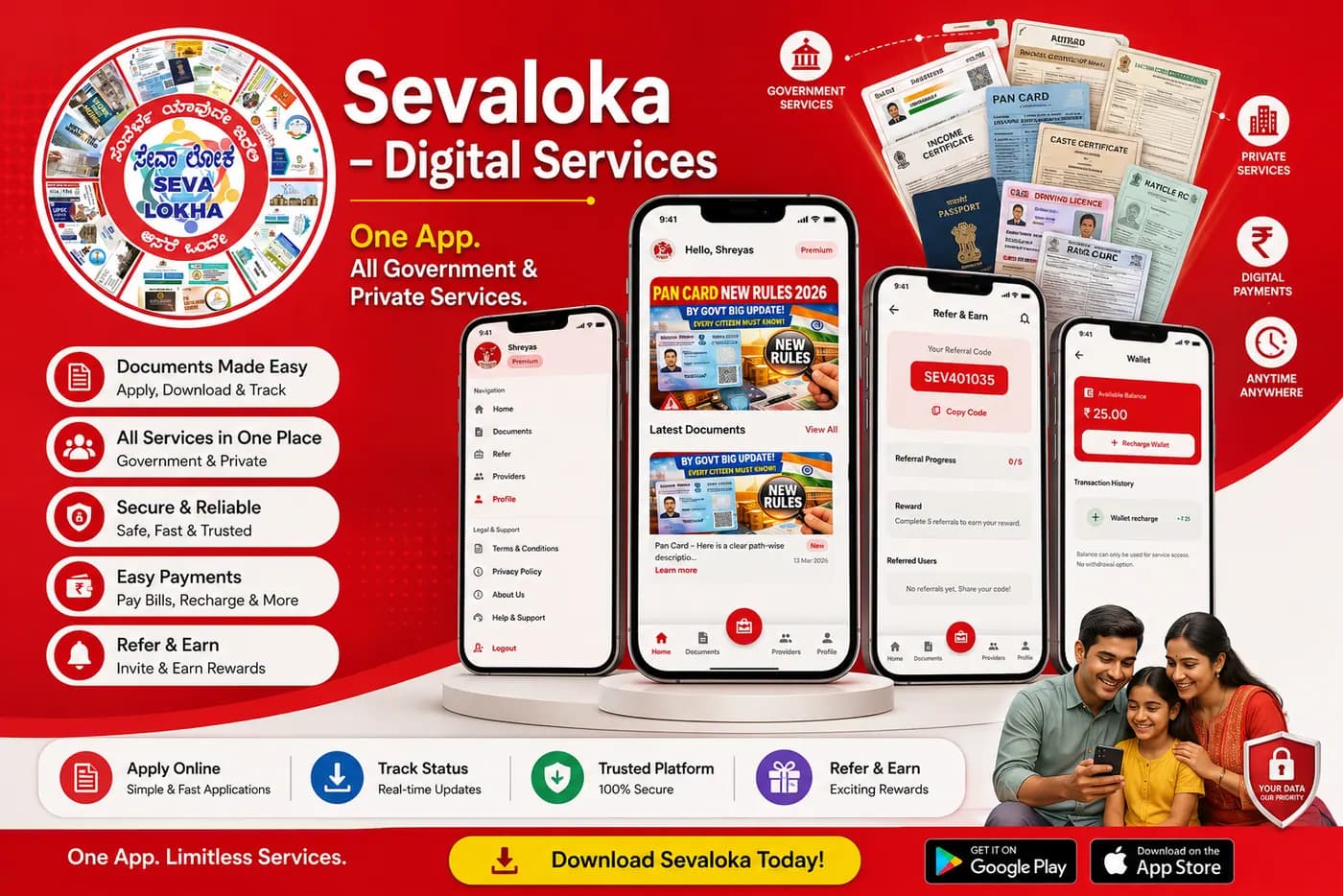
JST Click built Sevalokha — "Government and private digital services" and Janatha Services — "All citizen services in one app". Both follow the "one app for many services" idea described in this guide. You can see them on our work page.
The rest of this guide describes, in general terms, what apps of this kind usually need. It is not a description of how those specific apps work.
First, be clear about what your app is
This is the most important decision. A private services app is usually a facilitation service: it helps people find the right service, prepare documents and submit applications through the official portal or office, often for a service charge.
To stay trustworthy and compliant:
- Say clearly that you are a private service, not a government department or official app
- Do not use government logos or names in a way that suggests official status
- Show official fees and your service charge separately
- Follow the rules for any service you offer — some require authorisation, partnership or registration
- Follow Google Play's policies on apps that offer government-related information or services, including the required disclaimers
Getting this right from day one protects your users, your brand and your Play Store listing.
Self-service vs assisted model
| Model | How it works | Best for |
|---|---|---|
| Self-service | User fills forms and uploads documents in the app | Simple services, digitally confident users |
| Assisted (agent) | User requests a service; your staff or partner agent completes it | Complex applications, rural or first-time users |
| Hybrid | User starts in the app; an agent helps where needed | Most service platforms |
Most platforms in this category use the hybrid model, which means building both a customer app and an agent or operator tool.
Customer app features
Must-haves for launch
- Mobile OTP login and a simple profile
- Service catalogue grouped by category — certificates, identity documents, utilities, insurance, travel, business registrations and so on
- Service detail pages listing eligibility, required documents, official fee, service charge and expected processing steps
- Application form with only the fields that service needs
- Document upload with camera capture, cropping and file-size limits
- Payment through UPI, cards or net banking
- Application status tracking — submitted, under review, processed, completed, needs action
- Notifications by push, SMS and WhatsApp at each stage
- Download area for receipts and completed documents
- Help and chat with your support team
Features to add later
- Saved family members so one person can apply for parents or children
- Document locker for reusing documents across services (with clear consent)
- Appointment booking for walk-in help centres
- Referral rewards
- Voice guidance for users who struggle with reading
Agent and operator app features
Agents might be your own staff, franchise centres or partner shops.
- Work queue of assigned applications with priority and deadlines
- Document review with options to approve or request a clearer copy
- Status updates and notes visible to the customer
- Upload of acknowledgements and completed documents
- Commission or incentive tracking for partner agents
- Walk-in mode to create applications for customers who visit in person
Admin panel features
- Service management — add services, forms, required documents, fees and processing steps without an app update
- Agent and centre management with roles and areas
- Application monitoring — pending, overdue and escalated cases
- Payment and settlement reports, with separate tracking of official fees and service charges
- Customer support tools
- Audit logs of who viewed or changed each application
A flexible admin panel matters because services, fees and document rules change often. A custom-built software system behind the app lets your team update these quickly.
Document handling and data privacy
You will collect sensitive documents such as identity proofs, address proofs and certificates. Treat this as a core feature, not an afterthought.
- Collect only what each service needs and explain why
- Clear consent for each use, in line with India's Digital Personal Data Protection (DPDP) Act
- Encryption in storage and during upload
- Role-based access so agents see only their assigned applications
- Access logs for every document view and download
- Retention rules — delete documents after a defined period unless the user saves them
- No sharing or selling of personal data, stated plainly in your privacy policy
Payments and receipts
| Amount | What it is | How to show it |
|---|---|---|
| Official fee | Charged by the department or provider, if any | Shown separately, passed through as required |
| Service charge | Your fee for assistance | Shown clearly before payment |
| Taxes | GST on your service charge where applicable | Included on the receipt |
Use a gateway such as Razorpay for UPI and cards, issue receipts automatically, and define a clear refund policy for applications that cannot be processed.
Languages and accessibility
Many users of a services app are new to smartphones. Plan for:
- Interface and forms in Kannada, Hindi and English (or your region's languages)
- Large text, simple icons and step-by-step screens
- Clear error messages ("Photo is blurry — please retake") instead of technical codes
- DLT-registered SMS templates for OTPs and status updates
Careful UI/UX design is what makes such an app usable for everyone.
What shapes the effort
- Number of services at launch and how complex their forms are
- Self-service only, or with an agent app
- Depth of the admin panel and reports
- Document storage, security and retention rules
- Languages and accessibility needs
Our guide on app development cost in Bangalore explains how these factors affect your budget. Starting with a smaller set of popular services is usually the smart way to begin.
How JST Click can help
JST Click is a website, app and software development company in J. P. Nagar 2nd Phase, Bengaluru. We built Sevalokha and Janatha Services, so we understand the moving parts of a multi-service platform — catalogue, documents, status tracking and payments.
We start with a free consultation, help you define a focused first version, and give you a fixed quote with a written scope. Learn more about our app development services or browse our work.
Conclusion
Good citizen services app development is about clarity and trust: an easy service catalogue, simple document upload, honest status tracking, transparent fees and strong protection for personal data — all while making clear that you are a private facilitation service. Start with the services people ask for most, and grow from there.
Planning a digital services app? Get a free consultation with JST Click, or call or WhatsApp +91 70194 01035.
Frequently asked questions
Can a private company build an app for government-related services?
Yes, as an assistance or facilitation service, where your team helps people prepare and submit applications through the proper official channels. The app must clearly state that it is a private service and not an official government app, and must follow any rules that apply to the services you offer.
What is an agent or operator model?
Trained agents or partner shops use a separate app or panel to process applications on behalf of customers, upload documents and update status. This helps people who are not comfortable doing everything themselves on a phone.
How are customer documents kept safe?
Documents should be encrypted in storage and in transit, visible only to staff who need them, logged when accessed, and deleted after a defined period. Collect only what each service actually needs, with clear consent under India's DPDP Act.
How do payments work in a services app?
Customers usually pay a service charge, and sometimes an official fee collected on their behalf, through UPI, cards or net banking via a gateway like Razorpay. The app should show both amounts separately and issue a clear receipt.
Can the app support Kannada and Hindi?
Yes. Local language support is especially important for this kind of app, since many users are first-time digital users. Forms, instructions and status updates can all be shown in Kannada, Hindi and English.
- Citizen Services
- Service App
- App Development
- Data Privacy
- Our Projects

Written by
JST Click Team
We design and build websites, mobile apps and software for businesses from our office in J. P. Nagar, Bengaluru, and write these guides from what we see on real projects.